







| Relationship & Activity Management | |
|
Customer management
Keep rich customer details, emails, documents, notes, history, activities, and more in one easy to find place.
|
 |
|
Task & activity management
Track and prioritize calls, meetings, and to-dos—all associated with your contacts.
|
|
|
Calendar
See exactly what you have planned for the day from your Act! calendar.
|
|
|
Notes & history
Keep a detailed record of interactions with customers and prospects so you have a full picture of each relationship.
|
|
|
Companies
Associate Contacts with their respective Companies to understand and manage engagements comprehensively.
|
|
|
Relationship timeline
See a visual chronology of all activities and communications associated with a customer or prospect.
|
|
|
Secondary contacts
Record basic information about people associated with a contact without creating a new contact record.
|
|
|
In-context maps & web info
See real-time information from the Web, in-context within each contact record - maps, social profiles, and more.
|
|
|
Call lists & Hot Leads
Zero in on your most interested leads with intelligent Call Lists that rank campaign recipients by level of engagement.
|
|
|
Notifications & alerts
Notifications and alerts ensure you stay on task and on time throughout your day.
|
|
|
Act! Companion - Mobile app
Stay connected to key Act! details from wherever you work with a mobile app for iPhone®, iPad®, and Android™.
|
|
|
Welcome page - User productivity dashboard
Start your morning with an overview of your top deals and key activities. Personalize to stay informed and productive throughout your day.
|
|
|
Mail merge
Send personalized communications to contacts or groups with unique data from their individual customer records.
|
|
|
SMS Text Messaging
Send text messages for promotions, appointment reminders, order updates, and more. Automatically track sends and replies for follow-up and reference.
|
Starting at $19 / mo |
|
Online forms & surveys
Streamline the collection of customer data and generate leads with customizable forms for quote & service requests, surveys, and much more. Includes Link2calendar for self-service calendar booking.
|
Starting at $22.50 / month (Cloud only) |
|
Online event management
Make planning online events such as webinars, training sessions, virtual trade shows, and more, a breeze. From marketing to attendees, managing RSVPs, publishing event details, and sending reminders. Includes Link2calendar for self-service calendar booking.
|
Starting at $22.50 / month (Cloud only) |
| GROUPS & SEARCH | |
|
Search & lookups
Find what you need in an instant with powerful search options.
|
|
|
Groups & filters
Organize similar contacts into groups for targeted communications or sales initiatives.
|
|
|
Dynamic groups
Organize similar contacts into dynamic groups based on criteria you define.
|
|
|
Advanced queries
Perform custom, comprehensive database queries, including searching multiple field types and ranges concurrently.
|
|
| Opportunity & Pipeline Management | |
|
Opportunity management
Capture and manage key opportunity details, including status, value, estimated close dates, and more for every sales deal.
|
|
|
Sales process management
Manage opportunities using a simple, out-of-the-box sales process or one configured to fit your company’s sales methodology.
|
|
|
Products & pricing
Capture and manage your catalog in Act! and associate products and pricing to Opportunities.
|
|
|
Sales pipeline management view
See a complete, visual representation of your sales pipeline at-a-glance to project revenue, adjust strategy, and quickly focus efforts. In-context KPIs provide an instant roll-up of metrics like opportunity close rate, closed-won value, open deals, and more based on filters you apply.
|
|
|
Sales KPIs - Standard & custom
KPIs provide a quick look at sales activity and performance for the month or quarter. Create custom KPIs for additional insights into sales effectiveness.
|
|
|
Sales opportunity Kanban board
Move sales opportunities from stage to stage through the pipeline with a simple drag-and-drop motion, and watch your sales funnel update instantly.
|
|
|
Quotes
Generate standard quotes in .doc format using optional Microsoft Word integration.
|
|
|
Advanced interactive quotes
Close more business with customizable online quotes. Includes automated follow-up activity scheduling & customer reminders, quote dashboards & reports, and secure payment processing. Includes Link2calendar for self-service calendar booking.
|
Starting at $22.50 / month (Cloud only) |
| Reporting & Analytics | |
|
Reporting
View and customize 80+ out of the box reports - from contact lists to activity reports to sales performance metrics.
|
|
|
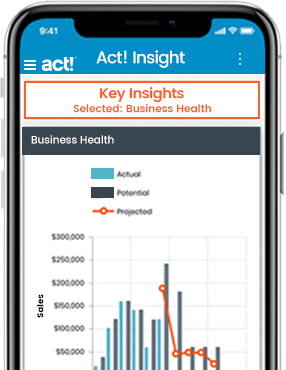
Act! Insight - Dashboards & analytics
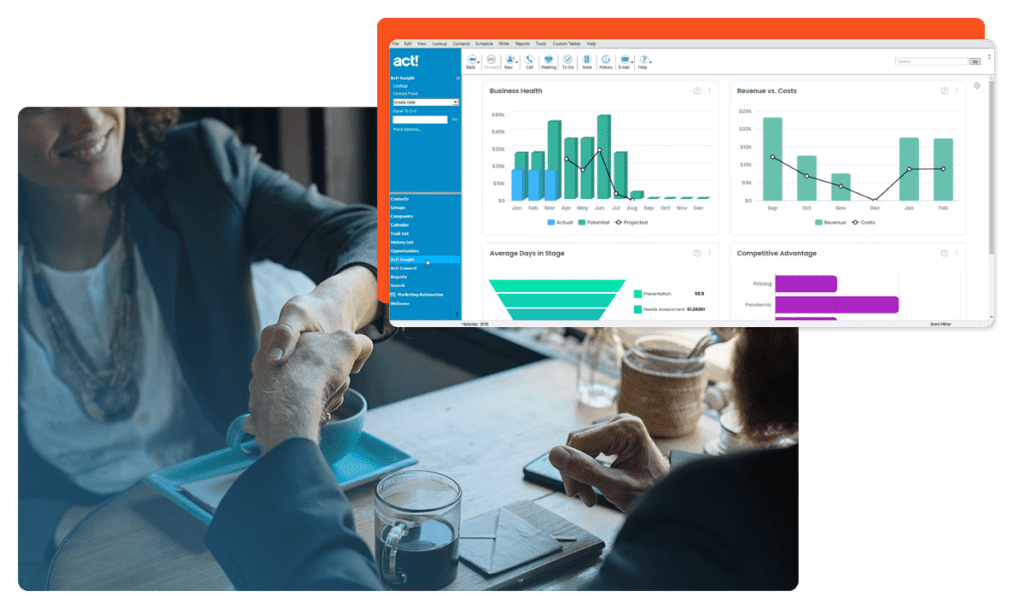
Guide decision-making with rich, actionable insights from interactive Act! Insight dashboards covering individual, team, and business performance. Monitor sales, marketing, and business health KPIs to drive smarter decision making.
|
|
| Integrations | |
|
Office integration - Export to Excel/Word
Interact seamlessly with Microsoft® Office from within Act!.
|
|
|
Outlook integration - Contacts/Calendar/Email
Interact seamlessly with Microsoft® Outlook® from within Act!.
|
|
|
Google Integration - Contacts/Calendar/Email
Integrate seamlessly with Google™.
|
|
|
Act! Connect - Integration with popular apps
Connect with hundreds of apps that extend the power and reach of Act!, via Act! Connect.
|
|
| Administration & Customization | |
|
Preferences
Tailor the way Act! operates for you, your team, or your company for maximum productivity.
|
|
|
User management
Add users to Act! with ease to get them onboarded and create a team role to then set preferences, define processes and configure security and sharing rights.
|
|
|
Layout designer
Customize the way your customer information is viewed by configuring fields, labels, backgrounds, picklists, images and more.
|
|
|
Custom Fields
Add custom fields to capture data specific to your business or industry needs.
|
|
|
Multi-Factor Authentication
Protect your Act! data with Multi-Factor Authentication, a multi-step authentication process that helps prevent unauthorized access to your account.
|
|
|
Custom Tables
Maintain detailed, industry-specific data like insurance policies, service contracts, mortgages, or projects in an unlimited number of tables with Custom Tables.
|
$10 / month |
| Platform & Technology | |
|
Data import
Import existing Act! databases, or pull in contact information from other CRM systems or external lists via .csv files.
|
|
|
API
Enable external services and applications to extend or augment data or functionality to enhance your Act! experience.
|
|
|
Secure AWS hosting
Act! Premium Cloud is hosted on the Amazon Web Services (AWS) platform for best-in-class performance, security, and reliability.
|
(Cloud only) |
|
Automatic upgrades
Automatic upgrades ensure you get and stay productive. We take care of the technical details so you can focus on your business and customers.
|
(Cloud only) |
|
Nightly backups
Rest easy knowing your data is protected at all times and that you're covered in the event of an unplanned outage or disaster.
|
(Cloud only) |
|
Desktop Sync
Deploy a desktop client and sync data back and forth to the Cloud for maximum flexibility.
|
$10 / month (Cloud only) |
|
Cloud Storage
|
6GB (Cloud only) |
|
Additional Cloud storage per 5Gb
|
$5 / month (Cloud only) |